The leader email group
that runs itself.
Every email saved, the contact list handled — friends and family get every update from your LDS leader automatically. Perfect for New Leaders.
Get Pro Group →No subscriptions · 30-day guarantee
See how it works →
Does this headache
sound familiar?
The weekly scramble
Your leader sends their email. Now you're figuring out who was missed and forwarding it to everyone you can think of - duplicates included.
The list is always wrong
Someone new needs to be added. An email bounced last week. Keeping the list current never ends.
It's never consistent
Your approach changes every week. No clear system means someone always gets missed.
How the pro email group works.
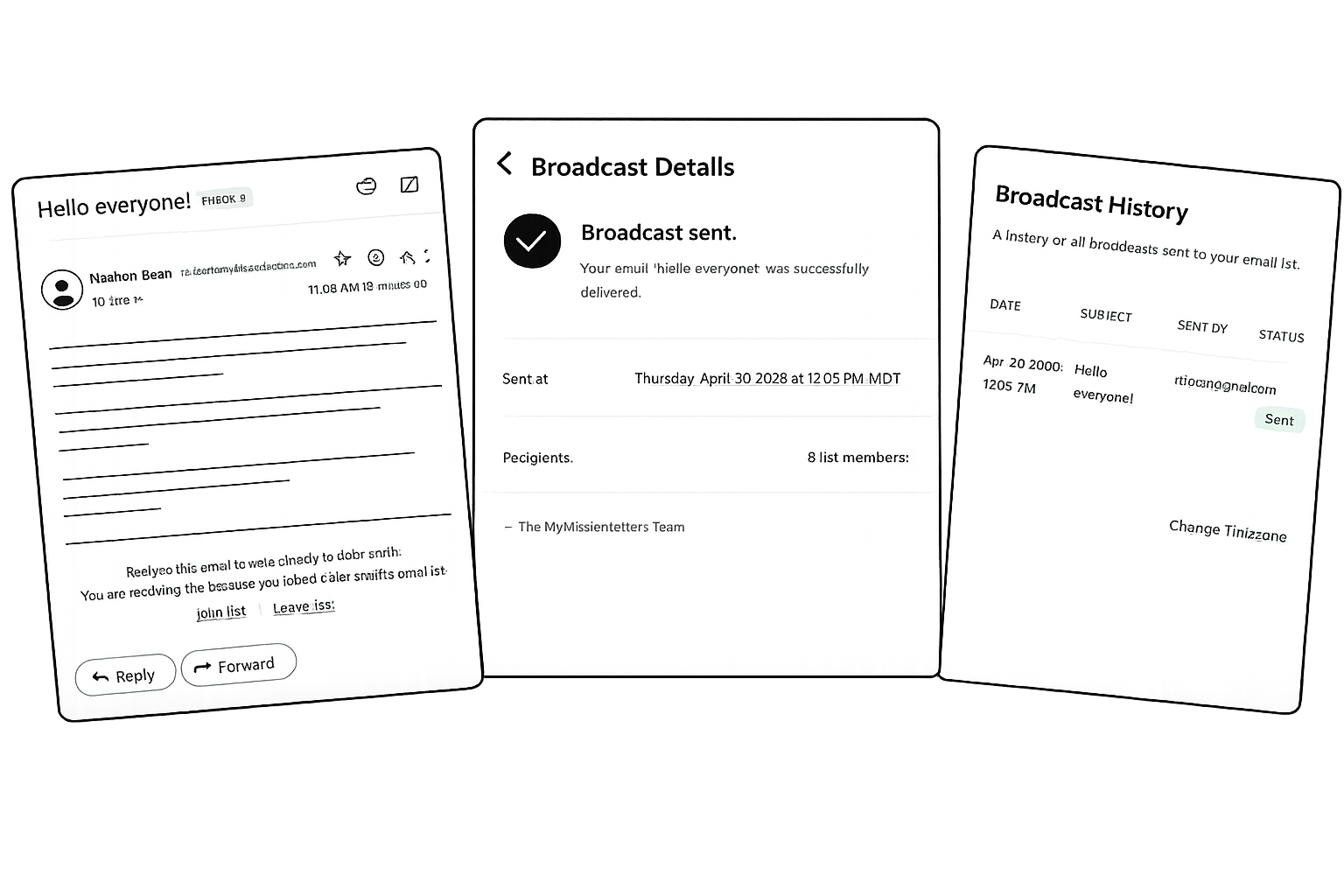
An easy LDS leader email group for sharing every update with family and friends — they join via QR code, your leader emails one address, everyone gets it, and it's all saved.

People Join
People join a personal email group to get the leader's weekly email updates.
Leader Emails
The leader only needs to send update emails to their custom broadcast email address.
Instant Delivery
Updates are instantly sent to everyone on their email group, and saved in our archive.
People join the email group
Once you sign up, OurFold provides everything you need to invite people: a join link, a QR code, a story image for Instagram and Facebook, and a printable flyer — all branded with your leader's name.
Friends and family join in seconds. They scan the QR code, tap the link, or open the story image, enter their email, and they're on the list.
From there, the list takes care of itself. New members can quickly join and existing members can leave with one click — no spreadsheets, no manual updates, no missed contacts.
The leader just has to email
Each leader gets a dedicated broadcast email address — the only address they need to know.
To send an update, the leader just emails their broadcast address from their leader email account. No logging in, no extra apps, nothing new to learn.
They can send from anywhere — phone, laptop, or mission iPad. If they can send a regular email, they can broadcast to their list.
Updates are instantly delivered — and saved
The moment the leader's update arrives at their broadcast address, it's delivered to everyone on the list and also permanently saved in our archive.
Friends and family get the update just like any other personal email in their inbox. Replies even go straight back to the leader, so conversations continue naturally outside our platform.
The list runs itself.
No spreadsheets, no opt-out emails to chase, no cleanup. Pro Group keeps the contact list healthy so you don't have to think about it.
Bad addresses clean themselves up
Bounced addresses and spam reports are removed automatically, so updates keep reaching real inboxes.
People leave on their own
Every broadcast has a one-click leave link plus standard email-client unsubscribe — you never manage opt-outs by hand.
You control who can send
Approve who's allowed to broadcast.
Each leader gets their own list
Manage multiple leaders from a single account — each with their own broadcast address.
A Memory Book
to honor their mission.

Every email and attachment your leader sends is bundled into a beautifully formatted and personalized Memory Book — a keepsake of every word they sent home.
The Digital Memory Book ($50) delivers a personalized downloadable book after the mission. The Hardcover Memory Book ($100) delivers a free high-quality hardcover print shipped to you after the mission.
Learn about our printed books →Simple, one-time pricing.
Pick a Memory Book plan, then add a list — Standard Group ($15) or Pro Group ($30). No subscriptions, ever.
Every email, photo, file, and social post — delivered as a personalized digital book after the mission.
Everything in the digital record, printed and shipped as a hardcover.
A managed list, without auto-broadcast. Friends and family join by link or QR; you send updates by emailing the list from your own inbox.
The broadcast list. Friends and family join; your leader reaches everyone in one email — every update saved automatically.
Standard Group and Pro Group are add-ons to a Memory Book plan — they aren't sold on their own, and you pick at most one (a Standard list can upgrade to Pro for +$15 anytime). Everything is a one-time charge that covers the leader's entire mission, with a 30-day money-back guarantee.
Questions, answered.
Does my leader need an app or a login?
No. Your LDS leader emails their updates to a dedicated broadcast address from their regular leader email account — nothing to install, no password, nothing new to learn.
Is it really just one email to reach everyone?
Yes. The leader sends one email to their broadcast address and it goes to everyone on the list at once — no forwarding, no group threads, nobody missed.
What happens when an email address bounces?
Bounced addresses and spam-reported addresses are removed from the list automatically, so your leader's updates keep landing in good inboxes without any cleanup from you.
Can people leave the list on their own?
Yes. Every broadcast carries a one-click leave link plus standard email-client unsubscribe, so you never have to manage opt-outs by hand.
Do I even need Pro Group, or is the Memory Book enough?
Pro Group adds the part that saves you the work during the mission — friends and family get each update automatically and it gets saved automatically, instead of you forwarding it every week.